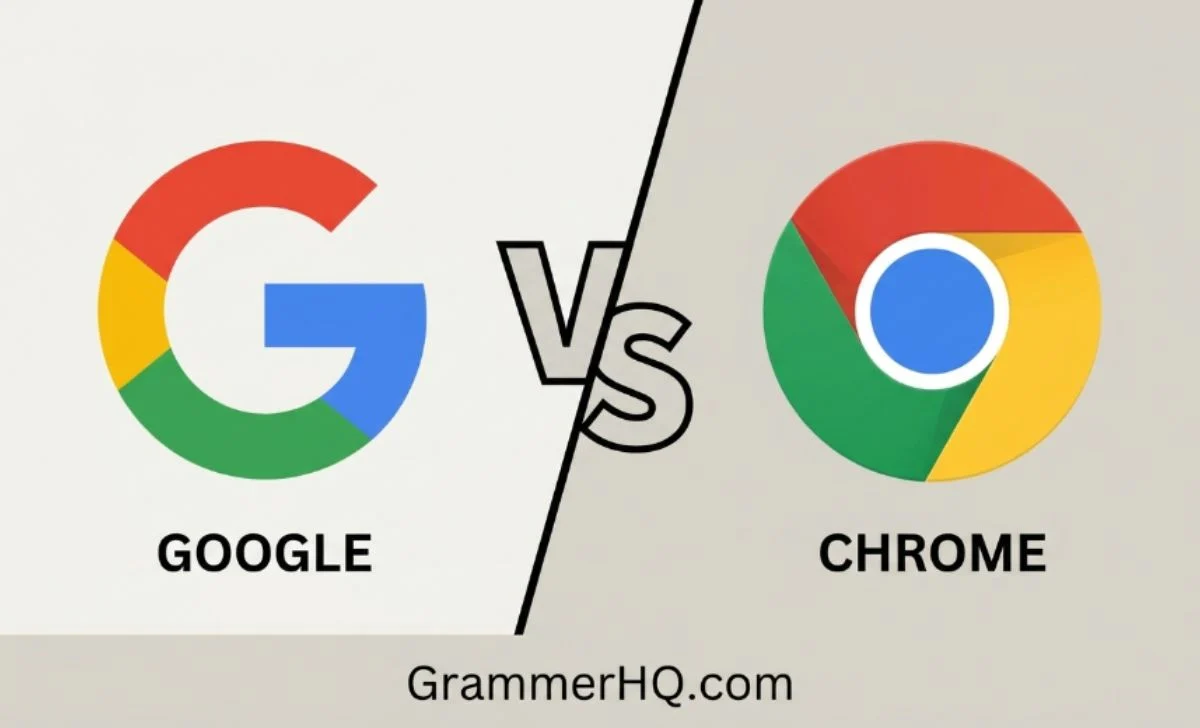
Google vs Chrome is one of the most common technology questions, especially for people using Android phones, Windows PCs, or Macs.
The short answer is simple: Google is a company that provides online services and operates the Google Search engine, while Google Chrome is a web browser used to access websites and online content.
Many people confuse them because Chrome opens Google Search by default, and both are developed by Google.
In this guide, you’ll learn the key differences, when you need each one, how they work together, and why understanding the difference makes browsing the web much easier.
Google vs Chrome – Quick Answer
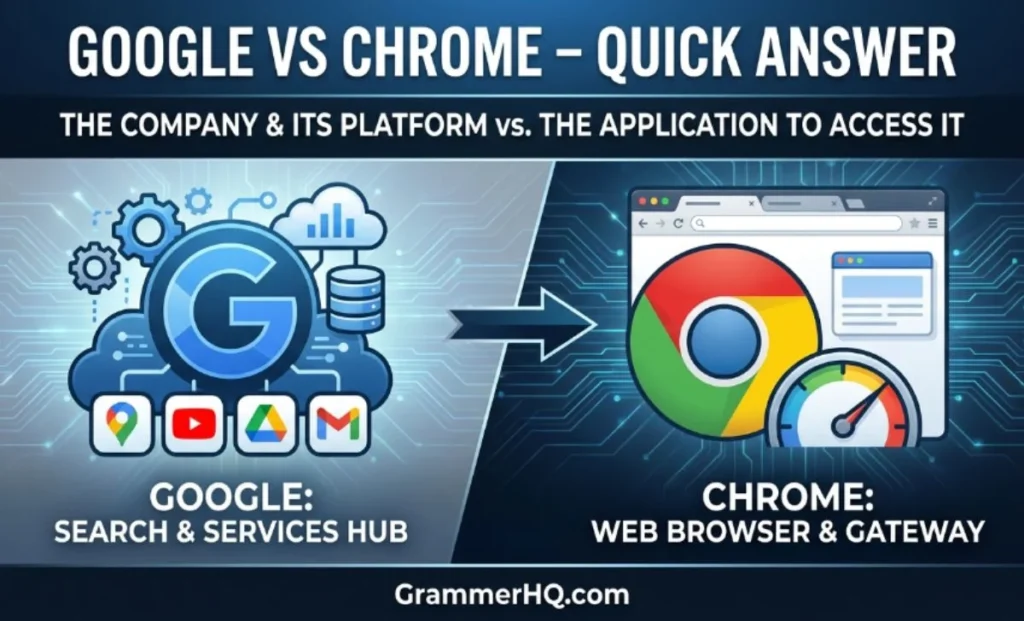
If you’re wondering whether Google and Chrome are the same thing, the answer is no.
- Google is a technology company that offers services like Google Search, Gmail, Google Maps, YouTube, Google Drive, Google Photos, and Google Gemini.
- Google Chrome is a web browser that lets you visit websites, search the internet, watch videos, read articles, and use web apps.
Think of it this way:
- Google = A search engine and technology company
- Chrome = A web browser
For example:
- If you type www.wikipedia.org into Chrome, the browser opens the website.
- If you search “best laptops 2026” on Google Search, Google finds and ranks relevant web pages.
You can even use Google Search inside browsers like Microsoft Edge, Mozilla Firefox, Safari, Opera, or Brave. Likewise, Chrome can use search engines other than Google, such as Bing, DuckDuckGo, Yahoo, or Ecosia.
Google vs Chrome Comparison Table
| Feature | Google Chrome | |
|---|---|---|
| Type | Technology company and search engine | Web browser |
| Main Purpose | Helps users find information and provides online services | Opens websites and web applications |
| Developed By | Google LLC | Google LLC |
| First Released | 1998 (Google Search) | 2008 |
| Works On | Any browser | Windows, macOS, Linux, Android, iPhone, iPad, ChromeOS |
| Includes | Search, Gmail, Maps, Drive, Photos, Gemini, YouTube | Tabs, Extensions, Incognito Mode, Bookmarks, Password Manager |
| Can Work Without the Other? | Yes | Yes |
| Main Function | Finds information online | Displays websites |
Quick analogy:
| Real Life | Internet |
|---|---|
| Library | Google Search |
| Door | Chrome Browser |
| Book | Website |
Google helps you find information, while Chrome helps you open and browse it.
What Is Google?
Google is one of the world’s largest technology companies. Founded in 1998 by Larry Page and Sergey Brin, its original mission was to organize the world’s information and make it universally accessible and useful.
Today, Google offers much more than a search engine. It provides dozens of products and services used by billions of people every day.
Some of Google’s most popular services include:
- Google Search
- Gmail
- Google Maps
- Google Drive
- Google Docs
- Google Photos
- Google Calendar
- Google Translate
- Google News
- YouTube
- Google Play
- Google Meet
- Google Gemini
When someone says, “I Googled it,” they usually mean they searched for information using Google Search.
Google Search uses powerful algorithms, AI technologies, and ranking systems to help users find relevant websites, images, videos, news, shopping results, maps, and answers to questions. In recent years, features such as AI Overviews have made search results even more helpful by providing quick summaries for many queries.
What Is Google Chrome?
Google Chrome is a web browser developed by Google and released in 2008. Its job is to display websites and web applications so you can browse the internet.
Whenever you open Chrome and visit a website, Chrome retrieves the webpage and displays it on your screen.
Chrome includes many built-in features that make browsing faster, safer, and more convenient, including:
- Fast page loading
- Multiple tabs
- Bookmark manager
- Incognito Mode
- Password Manager
- Autofill
- Built-in PDF viewer
- Website translation
- Extension support through the Chrome Web Store
- Google Account sync across devices
- Enhanced Safe Browsing
Recent versions of Chrome also include features such as Memory Saver and Energy Saver, which help improve performance and battery life on supported devices.
Chrome is available for:
- Windows
- macOS
- Linux
- Android
- iPhone and iPad
- ChromeOS
Because Chrome supports syncing through your Google Account, your bookmarks, passwords, browsing history, and open tabs can stay available across multiple devices.
Google vs Chrome: Key Differences
Although Google and Chrome are closely connected, they perform completely different jobs.
| Chrome | |
|---|---|
| A company and search engine | A web browser |
| Finds information online | Opens websites |
| Provides online services | Displays webpages |
| Includes Gmail, Maps, Drive, Gemini, and YouTube | Includes tabs, bookmarks, extensions, and browsing tools |
| Can be accessed using any browser | Can use many different search engines |
Here is a simple example:
Imagine you want to learn how to bake a chocolate cake.
- You open Google Chrome.
- In the address bar, you search “easy chocolate cake recipe.”
- Google Search finds thousands of relevant web pages.
- Chrome displays the recipe website you choose.
In other words:
- Google helps you find information.
- Chrome helps you access and view it.
Understanding this distinction also makes it easier to customize your browsing experience. For example, you can keep using Chrome while changing your default search engine to Bing or DuckDuckGo, or you can use Google Search from browsers like Microsoft Edge or Firefox.
This is why the two products often appear together—but they are not the same thing.
Is Google the Same as Chrome?
No. Google and Chrome are not the same, even though they work well together.
Many people assume they’re identical because Chrome opens Google Search by default on most devices. However, they have different purposes.
- Google helps you find information on the internet.
- Chrome helps you view and interact with websites.
Think of it like this:
- A search engine is like a librarian who helps you find the right book.
- A web browser is like the room where you sit and read that book.
You can use Google Search in browsers like Microsoft Edge, Mozilla Firefox, Safari, Brave, or Opera. Likewise, you can use Google Chrome with search engines such as Bing, DuckDuckGo, Yahoo, or Ecosia.
Do You Need Both Google and Chrome?
It depends on how you use the internet.
Most people use both because they complement each other.
For example:
- Open Chrome to browse the web.
- Use Google Search to find websites, answers, images, videos, or news.
However, you don’t have to use both.
For instance:
- You can use Safari with Google Search.
- You can use Chrome with Bing.
- You can browse the web in Firefox while using DuckDuckGo.
When using both makes sense
- You already have a Google Account.
- You use Gmail, Google Drive, or YouTube regularly.
- You want bookmarks, passwords, and tabs to sync across devices.
- You like Chrome’s extensions and built-in security features.
Can You Use Google Without Chrome?
Yes.
Google Search works in almost every modern browser.
For example, you can search Google using:
- Microsoft Edge
- Mozilla Firefox
- Safari
- Brave
- Opera
Simply visit google.com, and you’ll have the same search experience without installing Chrome.
This flexibility is one reason Google Search remains the world’s most widely used search engine.
Can You Use Chrome Without Google?
Yes.
Although Chrome is developed by Google, it doesn’t require Google Search.
You can change Chrome’s default search engine to:
- Bing
- DuckDuckGo
- Yahoo
- Ecosia
- Startpage
You can also browse websites directly by typing their web addresses into Chrome’s Omnibox (the combined address and search bar), without using any search engine at all.
Why Do People Confuse Google and Chrome?
This confusion is extremely common, especially among new internet users.
Here are the main reasons:
1. They are both made by Google
Since both products carry the Google name, many people think they perform the same job.
2. Chrome opens Google Search by default
When Chrome starts, users often see Google Search immediately, making it seem like Chrome is Google.
3. Similar logos and branding
Google’s colorful branding appears throughout Chrome, reinforcing the connection.
4. Android phones include both
Most Android devices come with both the Google app and Google Chrome pre-installed, leading many users to believe they’re duplicates.
5. People use the names interchangeably
Many users say:
- “Open Google.”
when they actually mean:
- “Open Chrome.”
Or they say:
- “I searched on Chrome.”
when they really searched using Google Search inside Chrome.
Google vs Chrome on Android Phones
Android phones often include both apps, but they serve different purposes.
Google App
The Google app focuses on:
- Google Search
- Voice Search
- Google Lens
- Personalized news
- AI-powered search experiences
Chrome App
Chrome focuses on browsing.
It lets you:
- Visit websites
- Open multiple tabs
- Download files
- Save bookmarks
- Install supported web apps
- Sync passwords and browsing history
Most Android users keep both apps because each serves a different purpose.
Google vs Chrome on Windows and Mac
On computers, the distinction becomes even clearer.
Google isn’t a browser.
Instead, you access Google Search through a browser such as:
- Chrome
- Edge
- Firefox
- Safari
Chrome is simply one option among many for accessing the web.
Whether you’re using Windows or macOS, you can choose whichever browser fits your needs.
Can You Change the Default Search Engine in Chrome?
Yes.
Chrome lets you choose your preferred search engine.
Popular options include:
- Bing
- DuckDuckGo
- Yahoo
- Ecosia
This means Chrome isn’t limited to Google Search.
Many privacy-focused users choose DuckDuckGo or Startpage, while some prefer Bing for its AI-powered search features.
Chrome vs Other Browsers
Choosing the right browser depends on your priorities.
| Browser | Best For |
|---|---|
| Google Chrome | Speed, extensions, syncing, compatibility |
| Microsoft Edge | Windows integration and productivity tools |
| Mozilla Firefox | Privacy and open-source features |
| Safari | Best performance on Apple devices |
| Brave | Built-in privacy and ad blocking |
| Opera | Extra productivity features and built-in VPN |
Chrome remains one of the most widely used browsers because it offers:
- Excellent website compatibility
- A huge extension library through the Chrome Web Store
- Cross-device syncing
- Frequent security updates
- Strong developer tools for web professionals
Google Search vs Other Search Engines
Google isn’t the only search engine available.
| Search Engine | Main Strength |
|---|---|
| Largest search index and highly relevant results | |
| Bing | AI-powered search and Microsoft integration |
| DuckDuckGo | Privacy-focused searching |
| Yahoo | News and web search |
| Ecosia | Plants trees using ad revenue |
| Startpage | Google search results with added privacy |
Although Google dominates global search, many users choose alternatives based on privacy, ecosystem preferences, or specific features.
Latest Google Chrome Features (2026)
Chrome continues to evolve with new features that improve speed, security, and productivity.
Some of the most useful recent features include:
AI-powered browsing
Chrome is gradually introducing AI features that help users search, organize information, and improve browsing efficiency.
Google Gemini integration
Google is expanding Gemini across its ecosystem, making AI assistance more accessible for supported Chrome experiences and Google services.
Memory Saver
Memory Saver automatically frees unused RAM from inactive tabs, helping Chrome run more smoothly—especially when many tabs are open.
Energy Saver
Energy Saver reduces background activity and visual effects to extend battery life on laptops.
Enhanced Safe Browsing
Chrome continuously checks for dangerous websites, phishing attempts, and harmful downloads, providing stronger online protection.
Privacy Sandbox
Privacy Sandbox introduces new privacy technologies designed to reduce reliance on traditional third-party tracking cookies while supporting online advertising in more privacy-conscious ways.
Passkeys Support
Chrome supports passkeys, a more secure alternative to passwords that helps users sign in faster while reducing the risk of phishing attacks.
These improvements make Chrome much more than just a browser—it’s a secure, feature-rich platform designed for modern web browsing.
Common Misconceptions About Google and Chrome
Because Google and Chrome are closely connected, many people believe they are exactly the same. Here are some of the most common misconceptions—and the truth behind them.
| Misconception | Reality |
|---|---|
| Google and Chrome are the same. | No. Google is a company and search engine, while Chrome is a web browser. |
| Chrome only works with Google Search. | No. You can use Bing, DuckDuckGo, Yahoo, Ecosia, or other search engines in Chrome. |
| Google Search only works in Chrome. | No. You can use Google Search in Edge, Firefox, Safari, Brave, Opera, and many other browsers. |
| Removing Chrome deletes Google. | No. Google services like Gmail, Maps, and Search still work in other browsers. |
| You must sign in to use Chrome. | No. Signing in is optional, though it enables syncing across devices. |
Understanding these differences helps you choose the right browser and search engine for your needs.
Google vs Chrome: Which One Should You Use?
The answer depends on what you’re trying to do.
Choose Google if you want to:
- Search for information online
- Find websites, images, videos, or news
- Use Gmail, Google Maps, or Google Drive
- Get AI-powered answers through Google Search
Choose Chrome if you want to:
- Browse websites
- Open multiple tabs
- Install browser extensions
- Save bookmarks and passwords
- Sync your browsing across devices
- Enjoy fast and secure web browsing
Best choice for most users
For most people, using Google Search inside Google Chrome offers the simplest and most convenient experience. However, you’re always free to mix and match—for example, using Google Search in Firefox or Bing in Chrome.
The important thing to remember is that Google and Chrome work together, but they are different tools with different purposes.
FAQs
1. Is Google the same as Chrome?
No. Google is a technology company and search engine, while Chrome is a web browser used to access websites.
2. Do I need both Google and Chrome?
Not necessarily. You can use Google Search in almost any browser, and Chrome works with several search engines besides Google.
3. Can I uninstall Chrome?
Yes. On many Windows and Mac computers, Chrome can be removed if you prefer another browser. On some Android devices, it may only be disabled because it’s a pre-installed system app.
4. Can I use Google without Chrome?
Yes. Google Search works in browsers like Microsoft Edge, Firefox, Safari, Brave, and Opera.
5. Can Chrome use Bing instead of Google?
Yes. Chrome lets you change the default search engine to Bing, DuckDuckGo, Yahoo, Ecosia, Startpage, or another supported provider.
6. Why do Android phones have both Google and Chrome?
They serve different purposes. The Google app focuses on search and personalized content, while Chrome is designed for browsing websites.
7. Is Chrome safer than other browsers?
Chrome includes features such as Enhanced Safe Browsing, frequent security updates, sandboxing, and phishing protection. Other modern browsers also provide strong security, so the best choice depends on your privacy, features, and workflow.
8. Which browser is fastest?
Performance varies by device and website, but Chrome is widely known for its speed, compatibility, and extensive extension support.
9. Is Google Chrome free?
Yes. Google Chrome is completely free to download and use on supported devices.
10. Can I use Google Search in Safari or Firefox?
Absolutely. Simply visit google.com in Safari, Firefox, Edge, Brave, Opera, or any modern browser to use Google Search.
Conclusion
Google is a technology company that provides services like Google Search, Gmail, Maps, Drive, YouTube, and Gemini.
Google Chrome is a web browser that lets you access websites and use online services. While they work seamlessly together, you don’t have to use one with the other. You can browse the web with Chrome using different search engines, or access Google Search from another browser.
Once you understand this difference, choosing the right tool becomes much easier. Whether you’re searching for information, managing emails, or browsing your favorite websites, knowing the role of each helps you use the internet more confidently and efficiently.
Read More Bloogs:
- Canvas or Canvass: A Simple Guide to Correct English Usage
- Hoping or Hopeing ,Which Spelling Is Correct?GrammerHQ